How to Create Rolling Techno Basslines in Reason Rack with Monotone Bass
Rolling basslines are a defining element of modern techno. Instead of complex melodies, techno basslines often function as a rhythmic engine that drives the groove forward while locking tightly with the kick drum.
In this tutorial we’ll design a rolling techno bass sound using Monotone Bass inside the Reason Rack Plugin.
The goal is to create a bass that is:
Deep and powerful
Tight and rhythmic
Designed to work on club systems
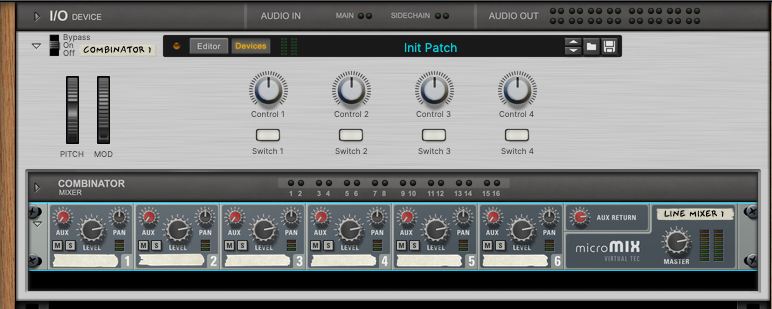
Step 1 – Start with a Combinator and Mixer
When working with Reason Racks, it’s always a good idea to start with a Combinator and mixer setup. This gives you a flexible structure for routing instruments and effects while keeping everything organised.
The Reason Combinator acts as a container that allows multiple devices to be controlled together, while the mixer gives you quick access to routing and aux sends.
In this example we’ll use the line mixer inside the Combinator.
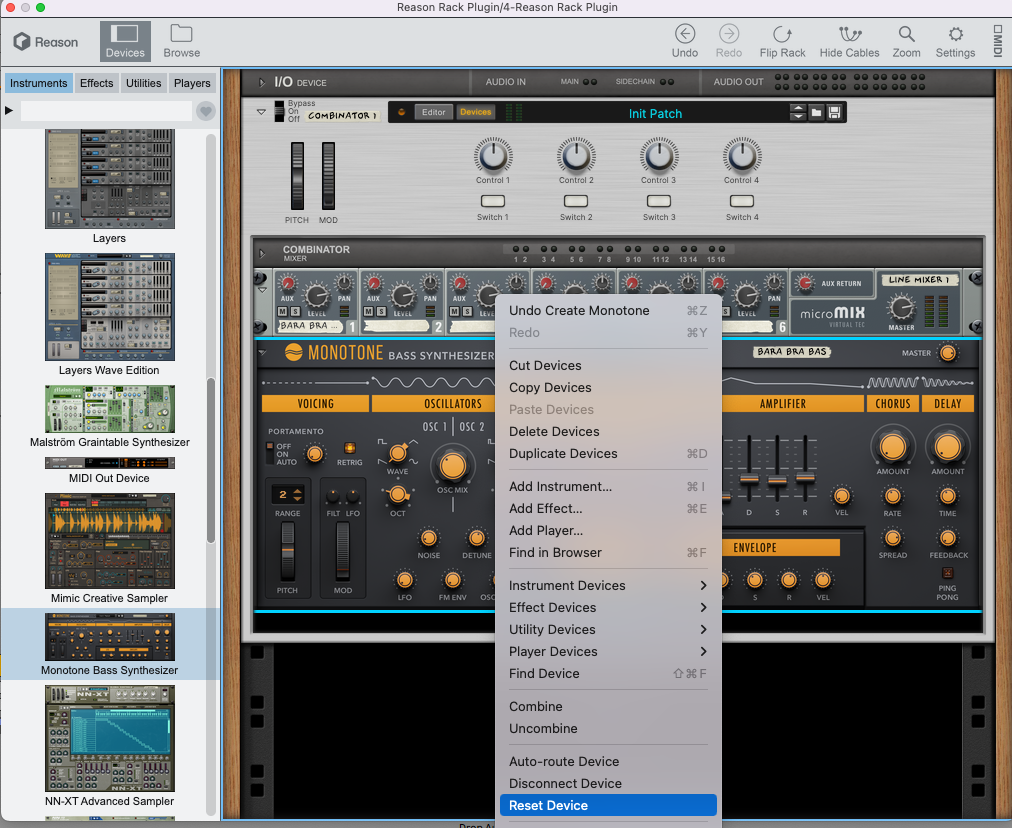
Step 2 – Add Monotone Bass and Initialize the Patch
Next, add Monotone Bass to the rack.
After adding the instrument, right-click the device and choose Reset Device. This initializes the synth so we start with a clean patch before shaping the sound.
Starting from an initialized patch makes it much easier to understand how each parameter affects the sound.
Step 3 – Add a Matrix Sequencer
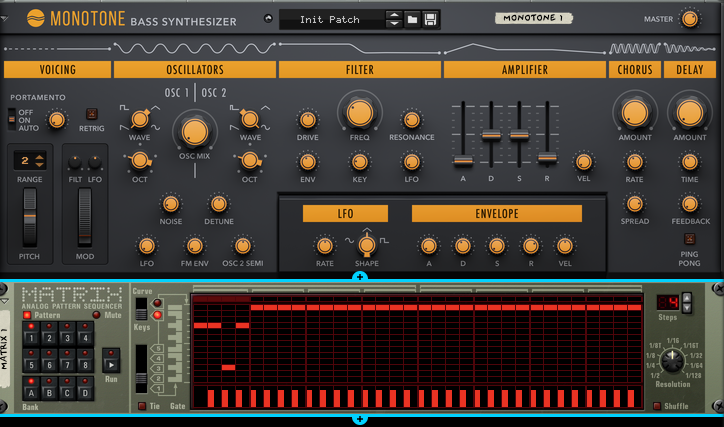
Now we’ll create the rhythmic pattern using the Matrix Pattern Sequencer.
Add a Matrix device and program a 4-step sequence.
Mute the first step in the pattern.
Leaving space on the first step allows the kick drum to hit cleanly before the bass enters, which is a common groove technique in techno production.
Step 4 – Configure the Oscillators
Now we can shape the core tone of the bass.
Set both oscillators to Saw waves.
Recommended settings:
OSC 1: Saw
OSC 2: SawOSC Mix: 50%
Detune: +10
Using two saw oscillators adds harmonic richness, while a small amount of detuning creates subtle movement that helps the bass feel wider and more energetic.
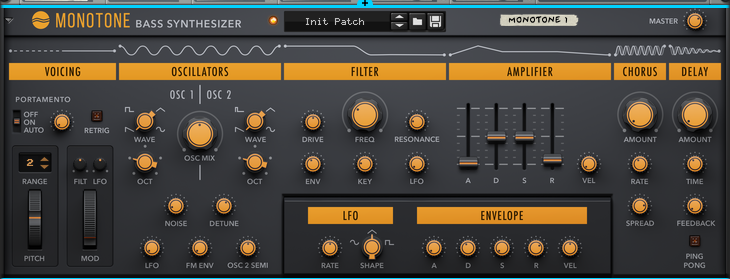
Step 5 – Shape the Filter and Envelope
Next, sculpt the tone using the filter section.
Suggested filter settings:
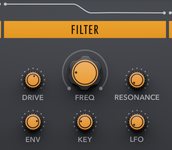
Drive: moderate
Frequency: mid position
Resonance: low
Envelope amount: moderate
Now set the envelope to create a tight, punchy attack.
Recommended envelope shape:
Attack: very fast
Decay: short
Sustain: mid-low
Release: short
This creates the plucky movement at the start of each note that gives techno basslines their characteristic groove.
Step 6 – Set the Amplifier Envelope
Next adjust the amplifier envelope so the bass remains tight and controlled.
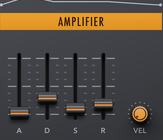
Suggested settings:
Attack: fast
Decay: short
Sustain: mid level
Release: short
Short envelopes keep the bassline rhythmic and prevent the low end from becoming muddy.
Step 7 – Add Subtle Chorus
A small amount of chorus can add width and movement to the bass.
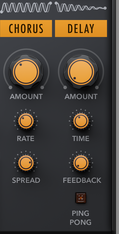
Suggested settings:
Amount: low
Rate: slow
Spread: moderate
The key is to keep the chorus subtle so the bass remains solid and centred in the mix.
Step 8 – Add Aux Delay with Band-Pass Filtering
To introduce spatial movement without muddying the low end, use the mixer’s aux send to create a delay chain.
Devices used:
DDL-1 Digital Delay Line
ECF-42 Envelope Controlled Filter
Route the delay through the filter and set the filter mode to Band-Pass. This removes the low frequencies from the delay signal so it doesn’t interfere with the bass.

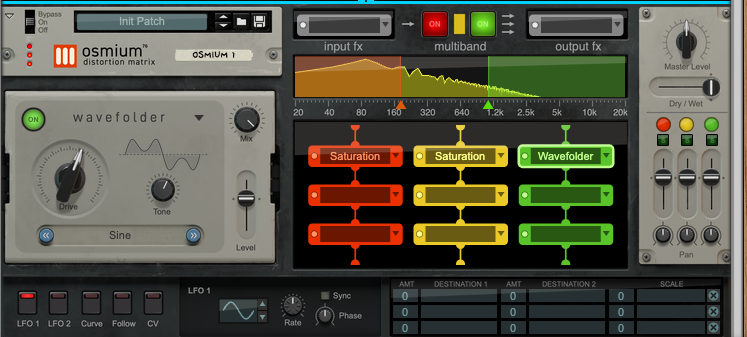
Step 9 – Add Saturation for Harmonic Weight
Finally, add some saturation to enhance the harmonic content of the bass.
In this example we use OsmiuM.
Example configuration:
Low band: Saturation
Mid band: Saturation
High band: Wavefolder
This adds warmth and aggression while helping the bass translate better on smaller speakers.
Final Thoughts
Rolling techno basslines rely on a combination of simple synthesis, strong rhythm, and subtle processing.
Using Monotone Bass inside Reason Rack, you can quickly design bass sounds that are powerful, hypnotic, and perfectly suited for techno production.
Experiment with different oscillator settings, envelope shapes, and saturation levels to develop your own signature low-end sounds.